
Login to your account!
Join the World's Largest Web App Marketplace!
Great to see you here!
Let’s set up your account in just a couple of steps.
Forgot password?
Enter your username or email to reset your account.
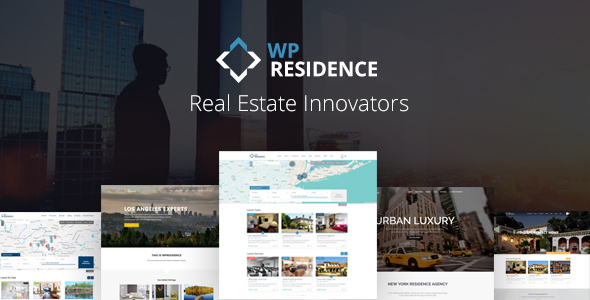
WP Residence Real Estate WordPress Theme is a premium theme designed for independent agents and agencies, but you can also use it to allow users to submit their properties for free, for a fee or based on a subscription.
The theme has all the flexibility you need to provide the best user experience. Over 350 neatly organized theme options are included to help you create a unique and modern real estate website. 11 pre-made demos are available to get you started in seconds.
Demo User Access Information (to test front submission, save search and save favorites)
Username = user
Password = 1234

Latest Version – 1.20.2
NEW: Set which fields you wish to show in front end submit property form.
NEW: Set which are the mandatory fields in front end submit property from.
NEW: Edit the agent and property link titles from theme options.
NEW: Option to control the contact form from lightbox property gallery.
and many more







General Features
Easy to Get Started
Do you like the demos available? Import any demo with a few clicks and start editing it right away.
Fully Responsive & Retina ready
The theme is ready for all phones and tablets. Offer a smooth user experience on all platforms.
Visual Composer, Revolution Slider & Ultimate Addons are included
Visual Composer gives you the tools to create a page with drag and drop, without any advanced WordPress knowledge. Ultimate Addons adds to default Visual Composer a multitude of extra shortcodes for design variety options. Revolution Slider allows you to create modern slideshows with diverse effects and video background that you can set as header media.
Powerful Theme Admin
Easily manage theme options or content from admin area. Over 350 neatly organized settings are available to build a powerful real estate website.
Header & Menu Options
You can choose between 4 different menu design styles, including vertical menu and Mega Menu. As header you can select Google Maps, Properties Slider, Revolution Slider, Image or none.
Google Maps
Offer your clients the possibility to search for properties on Google Maps and they can easily find results nearby their location (with geolocation) or in other areas. Each property can have its own custom image pin on the map, so it’s easy for the users to spot the type of real estate listing they’re looking for.
Advanced Search Options
Create a powerful real estate search for your clients. Add unlimited search fields, including your own custom fields. Choose between 9 design options, including option for search with auto-complete for city, area or state. Get results instantly, in the same page, with ajax search.
Properties Lists options
Create lists of properties based on specific categories, types, cities or areas, with the available real estate shortcodes or custom page templates. You can show properties as list or grid style by default, in a half map style page or standard list page.
Property subunits
In each property you can attach other properties as subunits. The subunits will show in advanced search results.
PDF Print Elements Management
Control which property elements to show in print property option.
Similar Properties
At the end of each property clients can find other similar listings from the same city, area and type.
Virtual Tour
Show your real estate offer with enhancing virtual tours directly from the property page to attract more buyers.
Front End Property Submission
If you wish, allow users to register, submit and edit their own properties from a white labeled user dashboard. As admin you can manually approve each property, or allow the theme to publish them automatically. Each user can edit from his dashboard the profile info, his favourite real estate listings and saved searches.
Front End Property Submission Form Control
Set which fields and which mandatory fields you wish to show in front end submit property form.
Contact Page & Contact Forms
Create a dedicated contact page with your real estate company location details in the map, your contact information and a integrated contact form that goes directly to your email. Additionally, you can replace the theme contact form with a Contact 7 form.
Design Options
Manage theme theme design from admin area, from header options and menu styles, to site width, header height, content padding or widget padding, border radius or border size and much more.
Custom Colors
You can change the theme colors are wish, from header to footer elements, directly from theme options.
Footer Options
Choose between 9 different footer column layout options and change the footer colors from admin area. Add any of the widgets available to footer. Additionally, you can add a footer background image.
Typography Options
Get full control over theme typography with over 400 Google fonts, font size and font weight control, plus font subset management.
Blog List Layouts
Choose between grid or list style and make your blog list easy and functional.
Unlimited Sidebars
The theme comes with a few predefined sidebars, but you can also create your own sidebars and populate them with the theme real estate dedicated widgets or other widgets, from admin options.
Translation Ready
The theme can be translated to any language.
WPML Support
The theme is WPML ready, which means you can create a multi-language website if you wish to use this plugin.
Detailed Feature List
- Dedicated support team to answer all your questions, comments and requests promptly.
- WordPress latest compatibility.
- Built with HTML5 and CSS3.
- Built on Bootstrap 3
- Font Awesome icons included
- Cross Browser compatible, tested on Firefox, Chrome, Safari, Opera, IE11, Edge
- Included plugins: Visual Composer & Revolution Slider & Ultimate Addons ($65 value)
- 100% Responsive on all Smartphones, tablets and desktop computers & Retina ready.
- 11 Demos and 1 click demo import
- Extensive manual with detailed instructions
- Import and Export theme options.
- Minify theme CSS and JS.
Google Maps Custom Integration:
- Google Maps Pin reading system from FILE for improved speed. See demo with 2500 listings here – http://demo3.wpresidence.net/
- Spiderfy for real estate listings in the same location
- Distinctive pins images which you can upload from admin
- Snazzy Maps (style the map colors as you wish).
- Google Maps type option. Choose between Terrain, Roadmap, Satellite, Hybrid as default display. In front end user can choose to switch display from map controls.
- Limit the max number of pins to show on the map for speed optimization.
Advanced Search:
- Custom fields support with unlimited search fields
- 9 Advanced Search type options for search over header media, including options with TABS.
- Control the number of Search fields per row (you can use 1, 2, 3 or 4)
- Standard page or half map page style for advanced search results page
- Search by property ID (automatic or manual ID)
- Search by property title keyword
- Search by custom dropdown fields
- Show Bedrooms, Rooms, Bathrooms as dropdown in advanced search
- Search by custom fields (date, text, number type)
- Enable or disable Price Slider. Set min and max values for price slider
- Advanced Search Options: show over header with slider, show in open or close mode
- Sub-categories support for custom taxonomies (City, Area, Type, Category, State)
- Number of properties listed for each category and sub-category, for custom taxonomies (City, Area, Type, Category, State).
Earn Money:
- Stripe Merchant, PayPal Merchant or Wire Transfer for payment options.
- Membership packages with recurring option so you offer clients paid membership if they wish to submit their own real estate properties in your site. With this option on you can offer free membership listings with an expiration in days for each free listing published.
- OR enable Paid Listing Option with the setting to charge for publishing each property + charge an extra fee for a property to be set as featured (featured = first in lists).
- OR, if you wish, leave free submission
- OR, don’t allow submission at all and add all your properties from admin
Properties Lists:
- Standard Properties list page: select what properties from which cities, areas, categories, and/or areas display by default. Select if only featured properties are shown by default or not.
- Half Map Properties List page – with ajax filters.
- Taxonomy page to list properties from a certain category (standard or half map design options)
- Taxonomy page with custom header image and custom content for City and Area
- Image slider in property unit (with on/off control)
Property Page custom settings:
- MAJOR NEW FEATURE: Property page custom templates and shortcodes. Now you can design the property page as you wish with shortcodes specific to property page and existing details, and any extra text / images / shortcodes from Visual Composer.
- WALKSCORE API connection to show property walkscore based on property address (optional)
- Number of page views in: property page (under title), property page (graphic view with on/off), user dashboard my properties
- Subunits for property (select subunits in submit property, admin and front end forms)
- Add your own price currency and price thousands separator
- Before and after price label
- If price is not added, after price label still shows (for how wants to show text only)
- Assign the real estate agent responsible of the property from a list with all agents available. This is for Admin only.
- Default settings: County, State, Zip, Country, City, Area, Type, Category, Lot size, Bedrooms, Bathrooms, Rooms, Price, after price label.
- A hidden field for owner and admin only, managed in Submit Property in front end and Edit Property (admin area)
- Unlimited Custom fields managed by admin (text, dropdown, date and number field styles)
- Unlimited Property Status – managed by admin
- Google Maps position (Latitude, Longitude, Google Street View & Street Camera Control
- Add 1 Video in property slider, from Vimeo or YouTube
- Unlimited Amenities and Features – managed by admin
- Add Floor Plans for properties in Admin and in Submit Property form in Front End
- Print Listing button in Property Page.
- NEW: Print PDF elements management from theme options.
- Attach PDF to property in Admin and Front End Submission form
- Property Page Tab or Accordion layout options
- Property Page – Agent/User info on sidebar or after property information
- Property Page slider can be set vertical or horizontal, or full header slider
- Change or Assign a property to a registered user/subscriber from admin – Edit Property
- Full control over the names of categories, types, cities, areas, states and google maps property pins images.
- Global sidebar position and sidebar name for properties added in wp-admin or in front end set in Theme Options –
- Virtual tour embed support in admin edit property and in front end submission.
- YELP API integration (works for specific countries)
User Registration Options:
- reCaptcha for registration form
- User Login and Register menu in header (with on/off control)
- Agree to Terms and Conditions check before registering. Terms and Conditions page is managed by you
- User Registration and user dashboard are white labeled (no WordPress reference)
- User Registration with type password in register form or with password assigned by the system
- Forgot Password Option
- Option to login/register from header user Menu, login/register widget, login / register shortcode or via Modal Box (used when selecting Favorites only)
- Manage property link titles from theme options
User Dashboard Settings:
- Option to disable add property submission by deleting the pages for Add Property and My Properties.
- Add Property Form. Manage what fields and what mandatory fields show in Submit form from theme options
- Submission Form Address changed to Auto-complete from Google Maps, or set with pre-defined drop-downs for Address Fields (city, area, state)
- Min image size in submission form for property images (500 x 500 min required)
- Limit the number of images that can be uploaded in submission form
- Enable / disable published listing
- Add or edit my Profile page
- My properties page with search by title (autocomplete)
- My Favorites page with all user’s favorite properties.
- My Saved Searches page. Users get Email Alert (daily or weekly) based on Saved Search parameters.
- My Invoices Page with the list of invoices user has paid.
Real Estate Shortcodes:
- Recent Properties and Recent properties slider with the following settings: from specific categories, types, cities or areas, in random order (yes/no), by first published date or by featured first, show only featured properties or all properties, grid or list style
- Properties by Agent
- List specific real estate properties by their ID
- Featured Agent
- Featured Property (3 design options)
- Featured Blog Post
- List Cities or Areas
- Advanced Search
- Login and Register forms
- List agents by published date and from specific taxonomies: agent city, agent area, agent category or agent type
- Recent blog posts or recent blog posts slider (with posts from specific categories)
- Single real estate property map + pin and infobox.
- Testimonials (with slider option)
Real Estate Widgets:
- Multi-Currency dropdown
- Featured Agent
- Mortgage Calculator
- Advanced Search
- Featured Listing
- Social Links
- Contact
- Login/User Dashboard
- Zillow Estimate
- Recent Listings
Custom Page Templates:
- Contact page
- Blog list (with grid or standard list options)
- Properties List with Ajax Filters and sort options
- Properties List Half Map with Ajax Filters synced with advanced search custom fields
- Real estate agents list
- Compare Properties
- Advanced Search Results page (standard or half map layout)
- User Dashboard page templates: My Profile, My Properties, Add Property, My Favorites, My Saved Searches, My Invoices, Add Floor Plan
- Terms and Conditions
General Page Settings:
- Show Title Yes/No
- Sidebar Position: Left, Right or None.
- Select what Sidebar displays if enabled
- Custom Header media: revolution slider, theme slider, google maps, image or none
Agent Page custom settings:
- Agent description and profile image
- Phone
- Mobile
- Skype ID
- Twitter, Facebook, Linkedin, Pinterest, Foursquare, Instagram
- Website Url
- Agent Contact Form (automatically added). This contact form sends all messages received through agent page directly to agent email
- WordPress Nonces integrated from Anti-Spam security in theme forms
- Replace theme contact form with contact 7 plugin form.
- Option (yes/no) to sync new registered users with agent post. Each new registered user will have an agent post created automatically. Info is synced with User Profile. Properties attached to agent are synced automatically with properties attached to User
Other theme options:
- Email management interface. Edit all theme emails text yourself.
- Date field calendar language control/li>
- Footer background image control in theme options.
- Translation Module with POEdit.
- 4 Header types with different elements position
- 6 Menu item design options
- Transparent Menu
- 2 level menu navigation, with full control over colors, Mega Menu option, vertical menu option
- Manage all theme colors from custom colors management
- Change Logo, Transparent Logo, Sticky Logo, Mobile logo & favicon
- Font Typography management
- Google Analytics
- 9 Footer design option to set footer in a unique layout.
- Copyright Footer Text editor
- Footer Menu
- Custom Mobile Menu
- Social Share buttons integrated in Blog Post, Property Post, Properties List.
- SEO Optimized and compatible with any third party SEO plugin you’d like to add.
- Custom 404 Not Found page included
- Threaded Blog Post Comments
- Unlimited Sidebars
- Well organized code and files
- And many more attractive features!
Client Support
Support is being provided through our private ticket system at http://support.wpestate.org/ /
We usually respond to every support request within 24h (Timezone: UTC+01:00). During weekends we offer limited support.
Visit http://wpestate.org/ for more information about the theme features, video tutorials, help manual and public forum.
Server requirements:
Min. PHP 5.5
About IDX plugin compatibility
IDX plugin compatibility means that the theme works well if you add 3rd party plugins (such as dsIDXpress or Optima Express). The theme will not return any errors just by using these extra options. IDX plugins are Optional and they are not required for the theme to be installed and used.
How IDX works: If you install one of IDX plugins, they will work with the theme, without conflicts. BUT the properties added through the plugin can be managed only with plugin features, options. They will NOT be used with the theme options. The properties from IDX are managed in a different database and the theme cannot access those properties (the plugin developers do not offer such access). So you use the plugin as it is, with its own design and features.
WP RESIDENCE Versions Released
WP RESIDENCE 1.20.2 – April 27 21
UPDATE NOTES:

For clients who update from an older version:

- Please check Membership – Property Submission Page and select which mandatory fields to have in submit. This is now manually controlled from theme options.<br />

- Please check Design – Property Page settings and set the options for lightbox slider from property page (crop: yes or no, contact form: show or not)
NEW: Permalink text management from Theme Options (change the default slug name to a different text for agent page, property page, property taxonomies or agent taxonomies urls)

NEW: Manage what fields show in Submit form from theme options

NEW: Manage which fields in submit are mandatory from theme options

NEW: On/Off control for contact form in property page – lightbox slider

NEW: ON/OFF control for crop for lightbox gallery images in property page slider

NEW: Custom colors for mobile menu colors

UPDATE: Removed max height control for logo. Now it will show its original height / width as uploaded from Logo settings.

UPDATE: Searches saved will include in admin the Email of the user who saved the search and the search parameters.

Full Change Log: http://help.wpresidence.net/2017/04/27/wp-residence-1-20-2/
WP RESIDENCE 1.20.1 – March 21
Full Change Log: http://help.wpresidence.net/2017/03/20/wp-residence-1-20-1/
WP RESIDENCE 1.20 – March 3
NEW: Redesign for user dashboard.
NEW: Color management for user dashboard new design
NEW: Option to show or not show menu in user dashboard (this must be saved after update to show in 100% screen width as in the new design)
NEW: Option to add custom widgets to top bar widget area for user dashboard only (managed from Widgets)
NEW: Remove script version option in advanced settings - speed settings
Full Change Log: http://help.wpresidence.net/2017/03/03/wp-residence-1-20/
WP RESIDENCE 1.19.1
FIX: oauth.php error
WP RESIDENCE 1.19
NEW: Subunits for property (select subunits in submit property, admin and front end forms)
NEW: Subunits will show in search results
NEW: YELP API integration (works for specific countries)
WP RESIDENCE 1.18.3- December 16
http://help.wpresidence.net/2016/12/16/wp-residence-1-18-3/
WP RESIDENCE 1.18.2
http://help.wpresidence.net/2016/12/15/wp-residence-1-18-2/
WP RESIDENCE 1.18.1- December 14
NEW: Virtual tour embed option in admin and front submission
NEW: Pre-defined property card types (Los Angeles and Paris like). More will be added in the future updates
NEW: Custom lightbox gallery system that supports scroll on mobile devices for property images galleries
NEW: Property new lightbox gallery on click includes the agent contact form
UPDATED: Removed fancybox gallery on property images galleries. Replaced with new lightbox gallery
UPDATED: Admin - edit property design updated for better usability of existing options
Full change log – http://help.wpresidence.net/2016/12/14/wp-residence-1-18-1/
WP RESIDENCE 1.18- November 16
IMPORTANT UPDATES / CHANGES TO EXISTING FEATURES (READ BEFORE YOU UPDATE THE THEME)
UPDATE: Re-design for default property unit card, agent card and blog unit card. Please check the demos to see the new look as there are several differences compared to older theme version
UPDATE: Because of the new features that adds features and amenities in ajax search, features and amenities DO NOT show in saved search alert at this moment. This will be done for next update
UPDATE: On single property page the maps shows ONLY the pin of the property opened (no matter what map style is chosen: header map, map in image slider, single map).
UPDATE: Price slider no longer needs 2 fields in search (only 1). And compare should be set to EQUAL.
UPDATE: List view style option for properties list now applies also for similar listings and my listings on agent page
UPDATE: Recent items and Recent items shortcode are updated to include County/State (if you wish to filter properties by County/State)
UPDDATE: Recent items slider includes the option to show or not show featured properties first. If you choose to not show featured first, the properties list by first publish date (id)
UPDATE: Header 2 and 3 are merged in Type 2. Header type 3 and 4 are new types.
UPDATE: Calendar design for date custom field
NEW FEATURES
NEW: Control the number of custom fields in search (you can set 9, 10, 11 and so on)
NEW: Control the number of Search fields per row (you can use 1, 2, 3 or 4)
NEW: 6 more advanced search types for header media: type 4, type 5, type 6, type 7 and type 8 (see details below)
NEW: Search type 4 - horizontal search with updated design for search button
NEW: Search type 5 - horizontal search below header media with background 100% wide
NEW: Search type 6 - search with TABS. You can select as tabs source one of the property taxonomies (category, type, city or area). And you can select your own categories from that taxonomy. For each category you set min and maxim price values for price slider
NEW: Search type 7: search with tabs (same as Type 6), but a fixed position on bottom of header media and background 100% screen wide
NEW: Search type 8: search with TABS and auto-complete for city, area or state. You can select as tabs source one of the property taxonomies (category, type, city or area). And you can select your own categories from that taxonomy. Custom fields apply for half map filters, search widget or search shortcode.
NEW: Search type 9: search with TABS, same as Type 8, but in a fixed position on the bottom of header media and background 100% screen wide
NEW: New options for header design: 4 header types and each has the option to select logo position (left, center or right), 100% wide option (yes or no)
NEW: Vertical menu style, open or closed by default
NEW: New options for footer design: show footer (yes or no), show copyright (yes or no), use 100% wide footer (yes or no)
NEW: Footer design updated with 9 options for columns alignment
NEW: 2nd design style for theme slider (used in header media)
NEW: Features and amenities are included in ajax search over map.
NEW: You can add content AFTER properties list (if you use the standard properties list custom page template)
NEW: Testimonials slider
NEW: Theme Options control the maximum number of pins to show on the map (applies when searching pins)
For older theme updates please check our full change log here – http://help.wpresidence.net/category/change-log/


